 REDLINE ORIGINAL
Redline Navigation | 3D Waypoints & Navigation Tablet
Your city. Your places. Your way.
Watch it here: https://youtu.be/Pzr8rNvwY7w
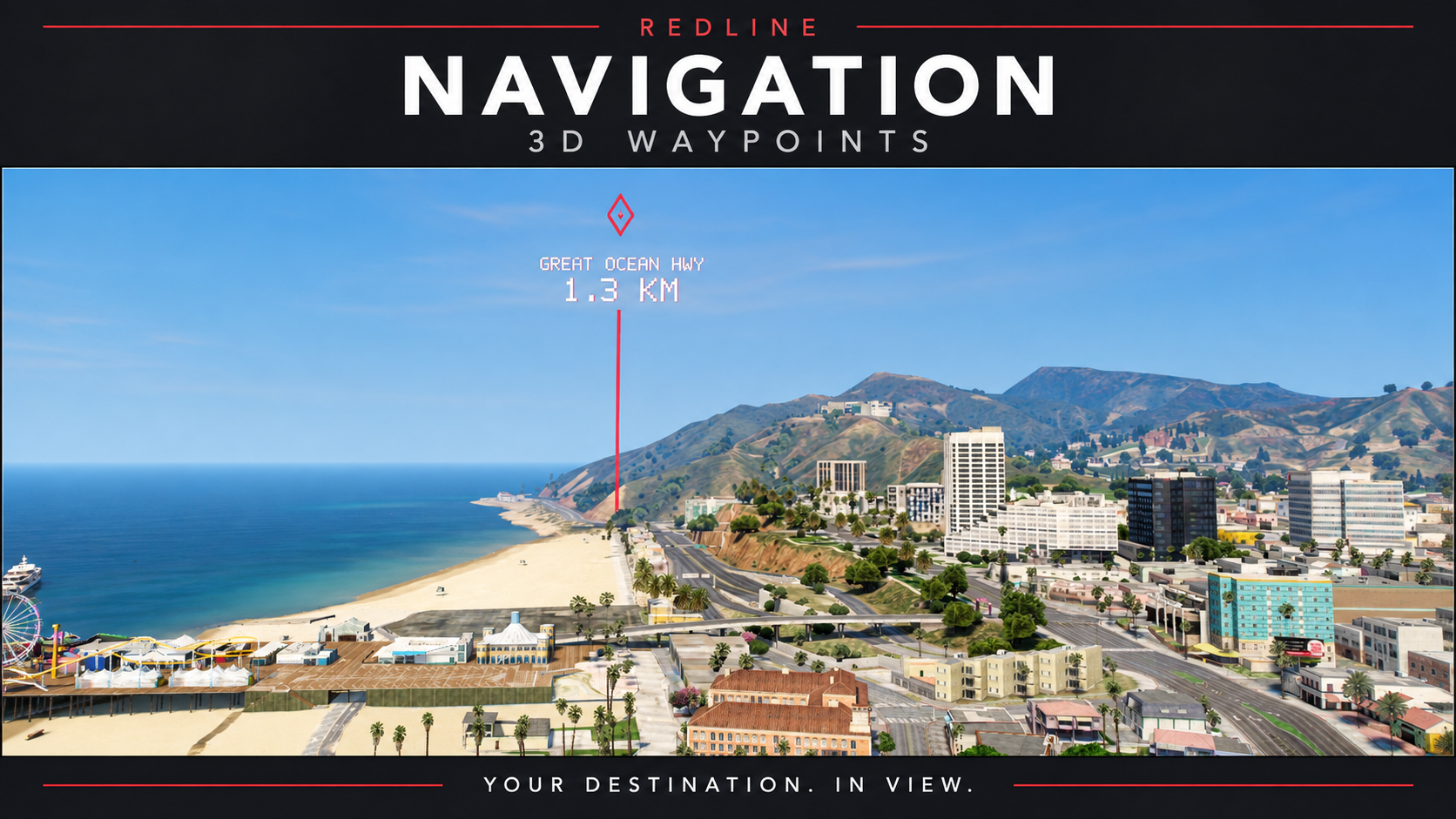
Give your players a clearer way to explore with Redline Navigation: a standalone FiveM navigation system featuring a floating 3D destination marker, destination beam, road guidance and a personal navigation tablet. It adds to your existing HUD without replacing it.
Features
- 3D destination beacon with location name, distance and a vertical beam.
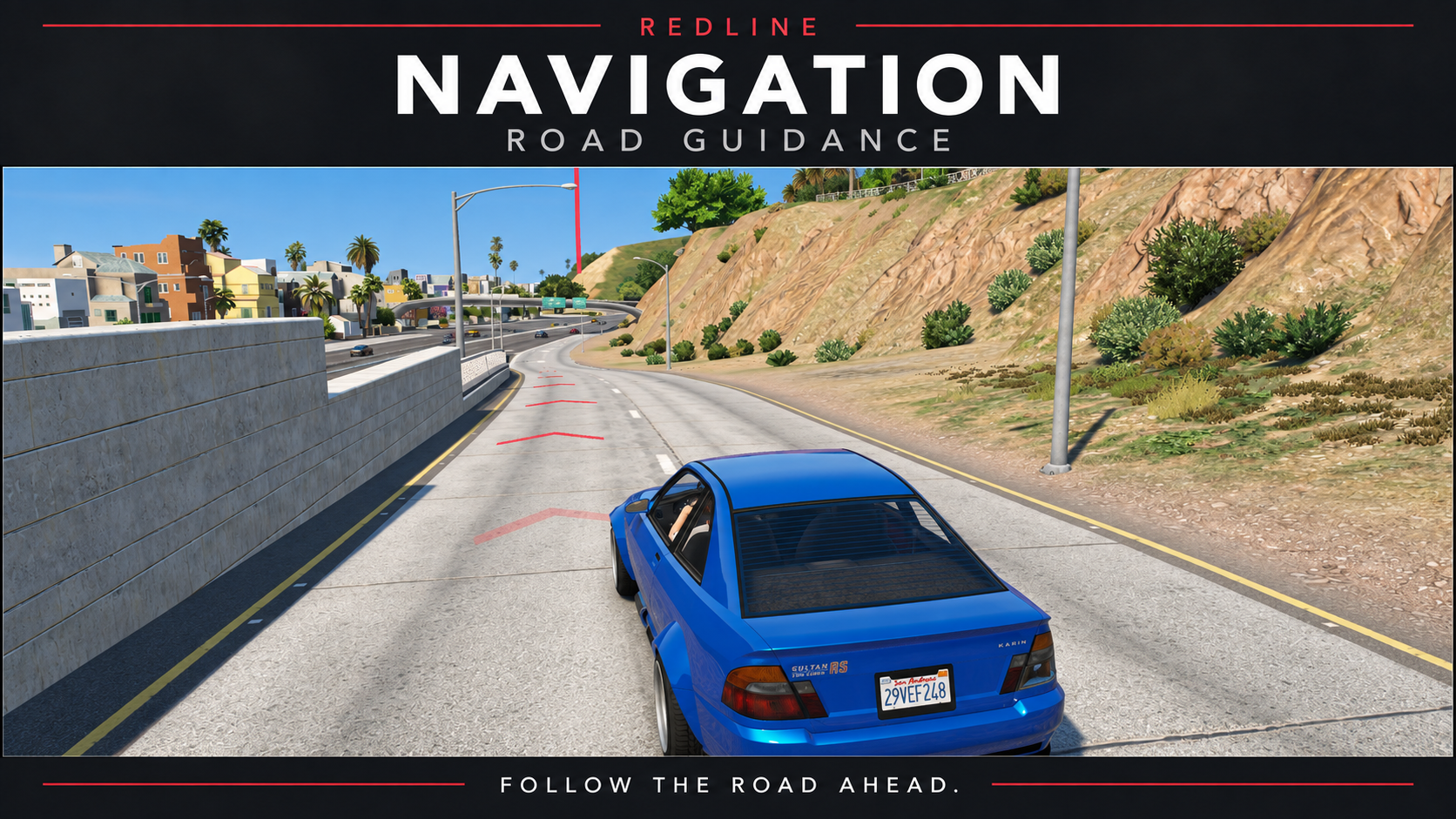
- Optional road chevrons that follow the available GTA GPS route.
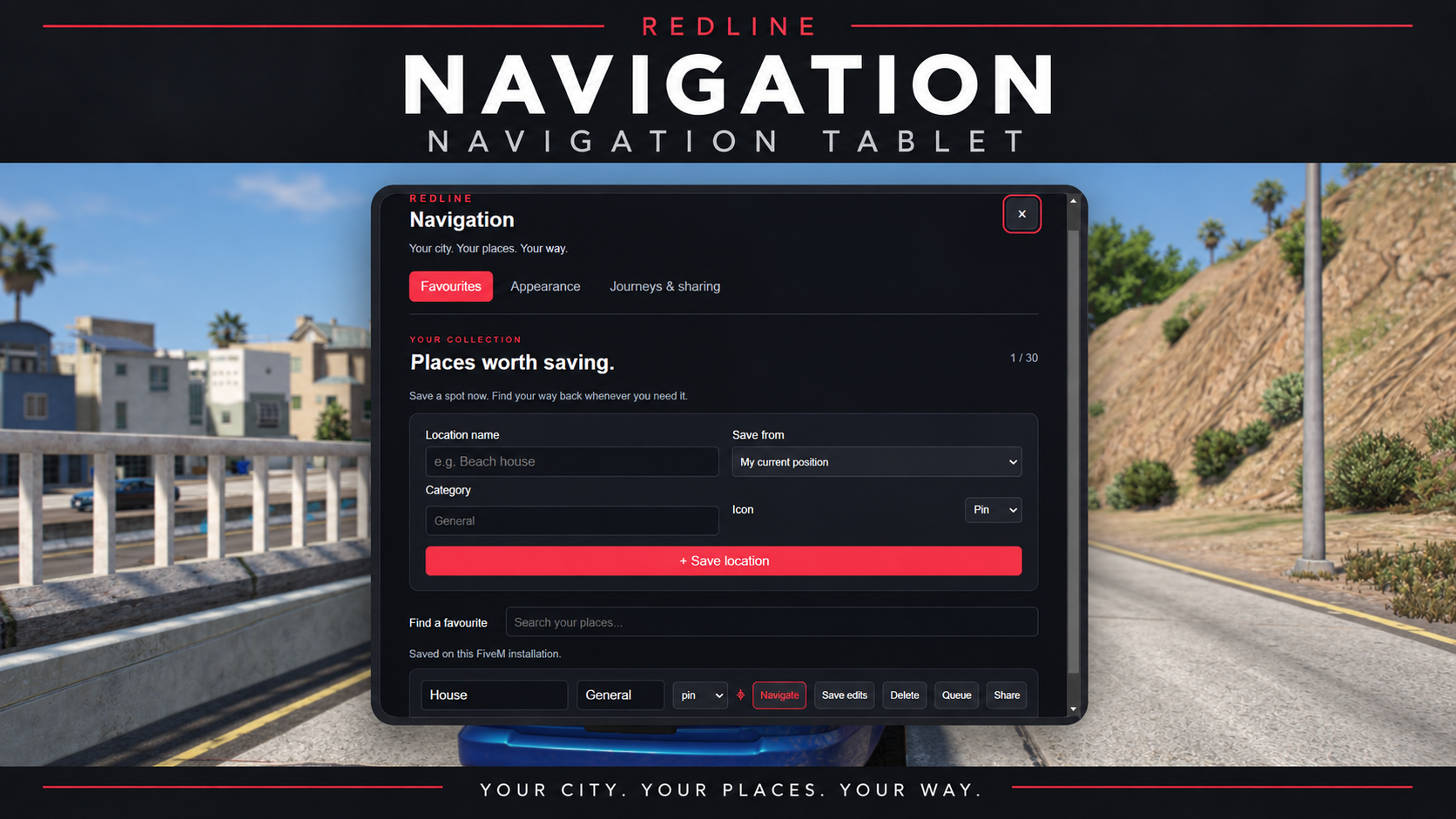
- Save up to 30 favourite locations with custom names, categories and icons.
- Find destinations using favourites, 10 recent locations and a searchable server directory.
- Queue up to 10 pending stops. Start once and automatically navigate to each next stop as you arrive, until the journey is complete.
- Reorder or remove queued stops and manually skip ahead when needed.
- Share destinations with online players; the recipient chooses whether to accept.
- Personalise colours with presets or custom hex values, brightness, beacon size and road-arrow size.
- Toggle the beacon, beam, labels, road arrows and optional separate navigation card.
- Save up to 10 appearance profiles, choose metric or imperial units and enable reduced motion.
- Optional arrival sound and arrival pulse.
- Optional reusable navigation tablet item for ox_inventory; command access remains available.
Simple setup
Install one resource folder, configure your server preferences and add ensure redline_navigation to your server.cfg. Open the tablet with /navtablet or /rednav; F7 is the default key binding.
No ESX, QBCore, Qbox, OX, inventory item, database or npm installation is required. Use a current supported FiveM server build with OneSync for destination sharing.
Photos